Couch Removal Made Easy
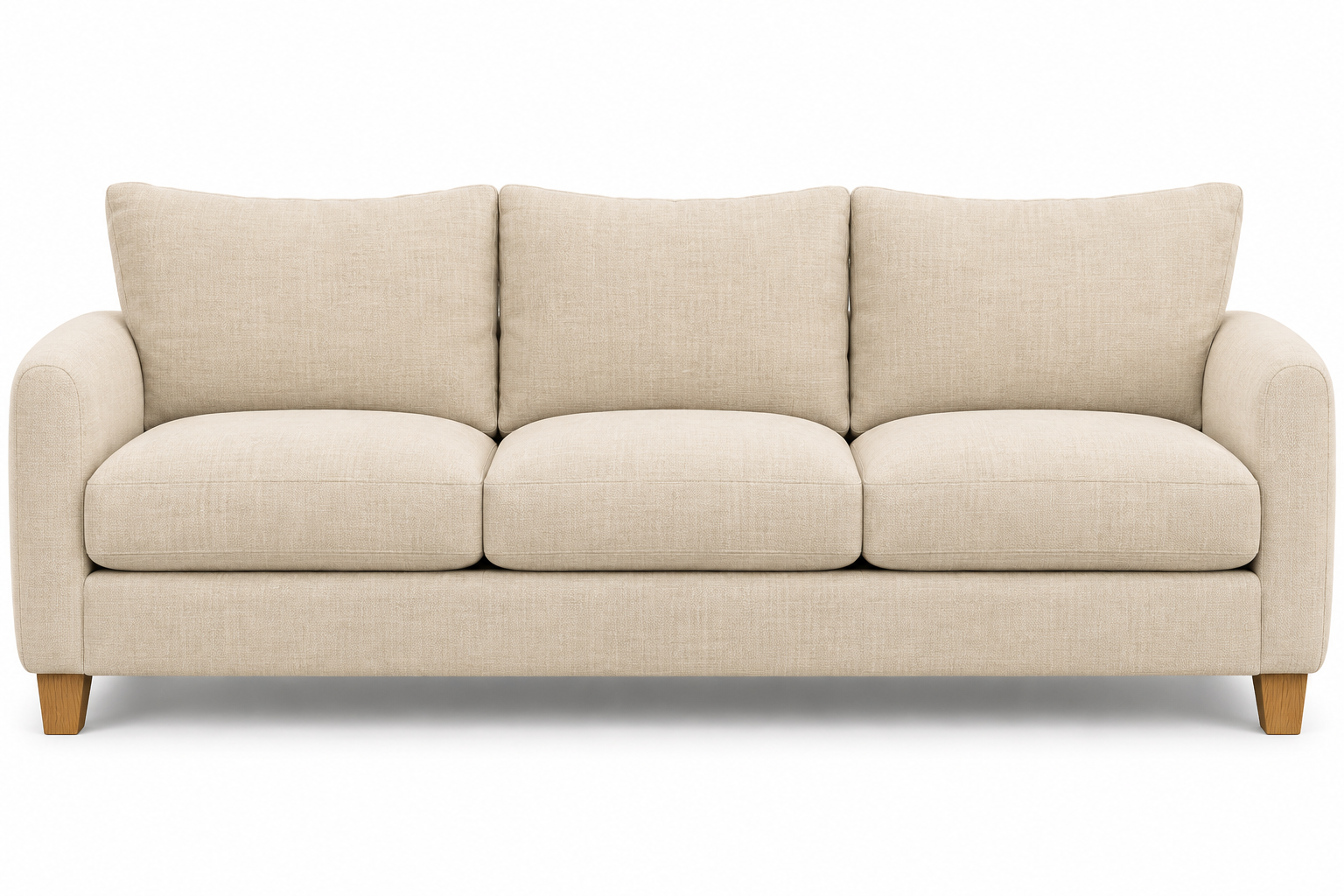
$45 per seat · $99 minimum
More about couch removal
A fresh start for your space
The old couch can go.
The guesswork can too.
A clear price, a short request, and a text straight to ByeByeCouch.
Replacing a sofa, clearing a spare room, or getting ready to move? Start with the furniture you actually have. Choose the seats on each couch, add a chaise if needed, and see a combined total before you send anything. There is no card form and no online payment to make a pickup request.
Three simple steps
Tell us what’s going
Choose one to eight seats for each couch. Add another couch to give it its own seat count and chaise size.
Choose your pickup details
Select curbside, inside-home, or garage pickup. Choose a preferred date and arrival window, then add your address and any access notes.
Send your prepared text
The last button opens Messages with the furniture, price, address, and requested time already filled in. Tap Send. Your pickup is confirmed separately by text.
Know the price before you text
Seats are $45 each, with a $99 minimum for the entire pickup. Add a small chaise for $40, a regular chaise for $60, or a large chaise for $80. Include the chaise seating position in your seat count; its size adds the shown amount.
The minimum applies once, after adding all seats and chaise charges. Reclining furniture adds $35 per couch, and a sofa bed adds $35 per couch. Stairs add $25 per pickup; carrying farther than 120 feet adds $25 per pickup. These fees are added after the base minimum. Changing a second couch never changes the first couch’s selections. See the full price breakdown.
Extra features, clear prices
On each couch, choose Reclining (+$35) or Sofa bed (+$35) when applicable. A standalone recliner can be entered as one seat with Reclining selected. Both furniture charges apply if both options are selected.
On the pickup-location step, select Stairs (+$25) or Over 120 feet (+$25). Each access charge applies once to your entire pickup. All selected charges appear in your review and prepared text.
A pickup for your setup
Couches, loveseats, and sectionals
Count seating positions rather than loose cushions. One long bench cushion can still cover several seats. Connected sectional pieces can be configured as one couch; a separate sofa should have its own item. Use your notes for unusual layouts, reclining sections, or storage compartments.
At the curb
Choose this if your couch will be ready outside at the confirmed pickup time. Describe the exact location and keep sidewalks and shared entrances clear. Check your property’s rules before leaving furniture outdoors, and wait for confirmation before moving it out early.
Inside your home
Tell us the room, floor, and any stairs or tight turns. Clear small items from the path and remove personal belongings from the cushions. You do not need to attempt a heavy move just to complete the request.
In the garage
Choose garage pickup when the furniture is already there or will be there at the confirmed time. Include access instructions and identify the couch clearly, especially when other furniture is staying.
Local pickup information
Explore your city’s page for access tips, pricing examples, and a local starting point for your request. Your ZIP fills the city and state into your pickup details; you can check or correct them before sending the text.
Before your couch goes
Check under cushions and inside storage sections for keys, remotes, chargers, and documents. Move loose cords, rugs, and toys out of the route. For an apartment, check elevator or loading-area requirements and include the unit and floor in your notes. Keep gate codes in the private pickup message rather than a public post.
If you are timing removal around a new furniture delivery or a move-out deadline, include that detail. Selecting a date is a request, so wait for confirmation before relying on that arrival window.
Good questions. Clear answers.
Do I pay online?
No. This booking flow does not collect a card or take payment. You review the calculated price, then send the pickup details by text.
Is the pickup booked when I tap the button?
The button opens your phone’s Messages app. Tap Send to send the request, then wait for a reply confirming the pickup. Opening Messages alone does not send the text or confirm an appointment.
Can I add two different couches?
Yes. Each couch has its own one-to-eight seat selector and chaise choice. You can expand either couch to edit it, and the total updates across the whole pickup.
Does a chaise count as a seat?
Yes. Include its seating position in the seat count, then choose small, regular, or large. The chaise add-on is $40, $60, or $80 respectively. If you are unsure which size fits, describe it in your pickup notes so it can be clarified before confirmation.
What if my couch has more than eight seats?
Describe the full configuration in your notes so the details and price can be clarified. Do the same for multiple chaise extensions or unusual connected sections; do not choose a smaller configuration just to complete the form.
What if Messages doesn’t open?
The review screen has Copy details instead. Copy the prepared request and text it to (602) 632-3524 from your phone.
The Couch Guide
Get practical answers before you start. These guides explain the pricing and help you prepare a useful request.
PricingHow much does couch removal cost?
Seat pricing, chaise charges, and the pickup minimum, with worked examples.
Read the pricing guide SectionalsCount seats without the confusion
How to describe a sectional, choose a chaise, and keep separate couches separate.
Read the sectional guide Pickup prepMake pickup day simpler
Personal belongings, access paths, apartments, and the details worth including.
Read the preparation guideA direct line for your pickup.
Your prepared request goes straight to this number. Prefer to ask a question first? Start a text here.
Text (602) 632-3524